
Containerized Development with VS Code
I love breakpoints and unit tests. Often, I find myself contributing to projects with which I'm not very familiar. But when I can incrementally run parts of the code, I tend to not break things too badly. Getting the code to run, however, may require installing several dependencies.
Installing an external package feels a lot like agreeing to the terms and conditions of a social media platform. You feel like you have to, but you're afraid you'll regret it later. I try to avoid persisting changes on my system wherever I can. Fortunately, many projects come with a Dockerfile that describes the environment in which the code needs to run.
A typical Dockerfile follows a pattern, as shown below:
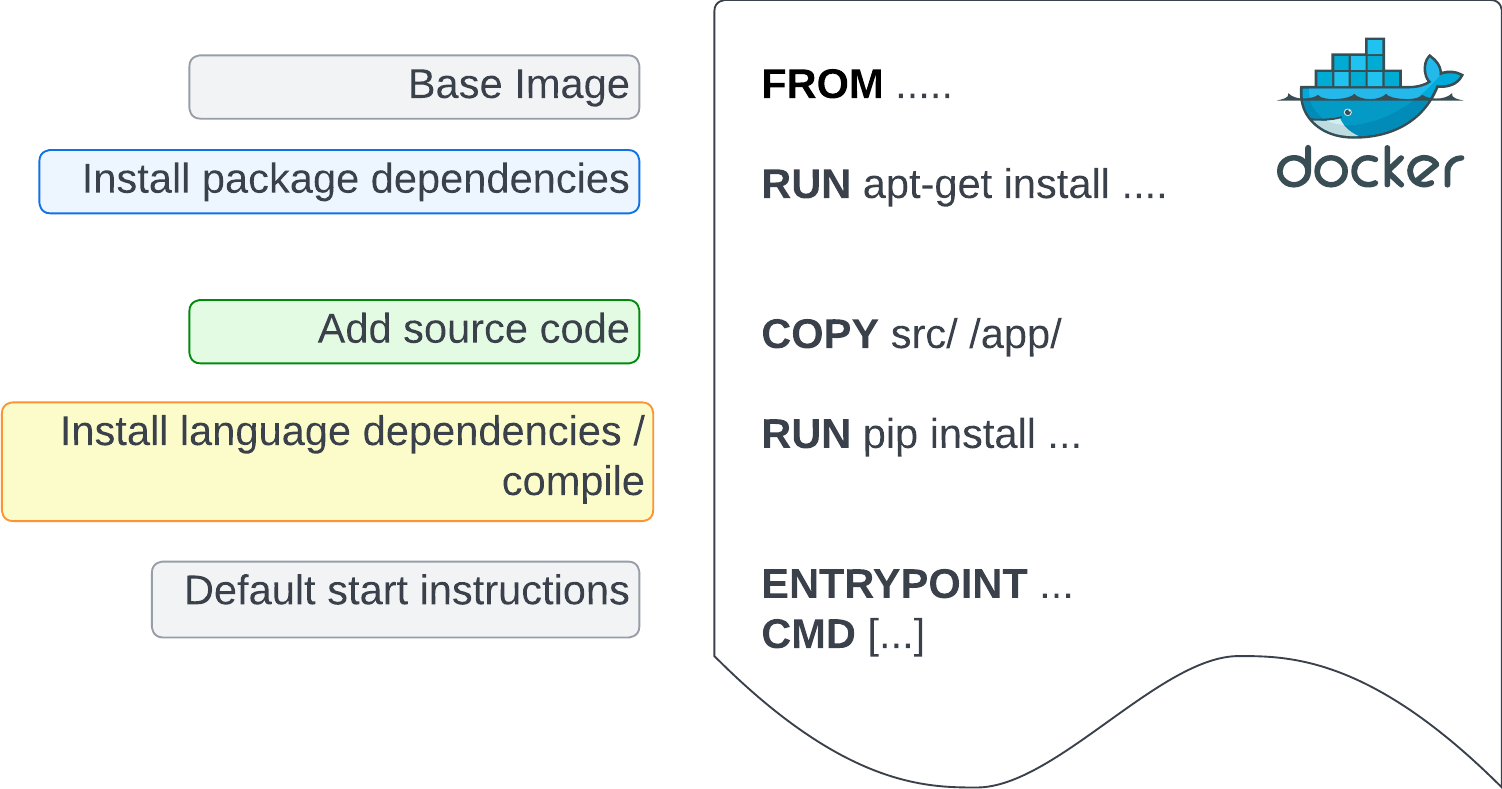
When developing within a project, I want to modify source code and ensure it behaves as expected in its intended environment. Consider a containerized Python project with a src/ directory that is copied into the app/ directory of an image. The image also has pytest installed. For demonstration, I created such a project in my repo here.
Let's build this image using a standard command:
docker build -t containerizedapp:latest .
I can run this image so that I mount my local src/ directory to the app/ directory of the container. Now any changes I make in my local src/ directory will be reflected in the container, and vice versa.
docker run -d --name containerized_app --entrypoint sh -v ./src:/app containerizedapp:latest -c 'sleep infinity'
From there, I can use the official Docker extension in VS Code to attach to the running container.

This opens a new window that lets me open the source code in the app/ directory. The Python extension recognizes the python environment and the installed test frameworks. I can use the Test Explorer to configure my tests, specifying pytest as my framework and tests/ as my test directory. Notice the green triangle that appears next to the test.
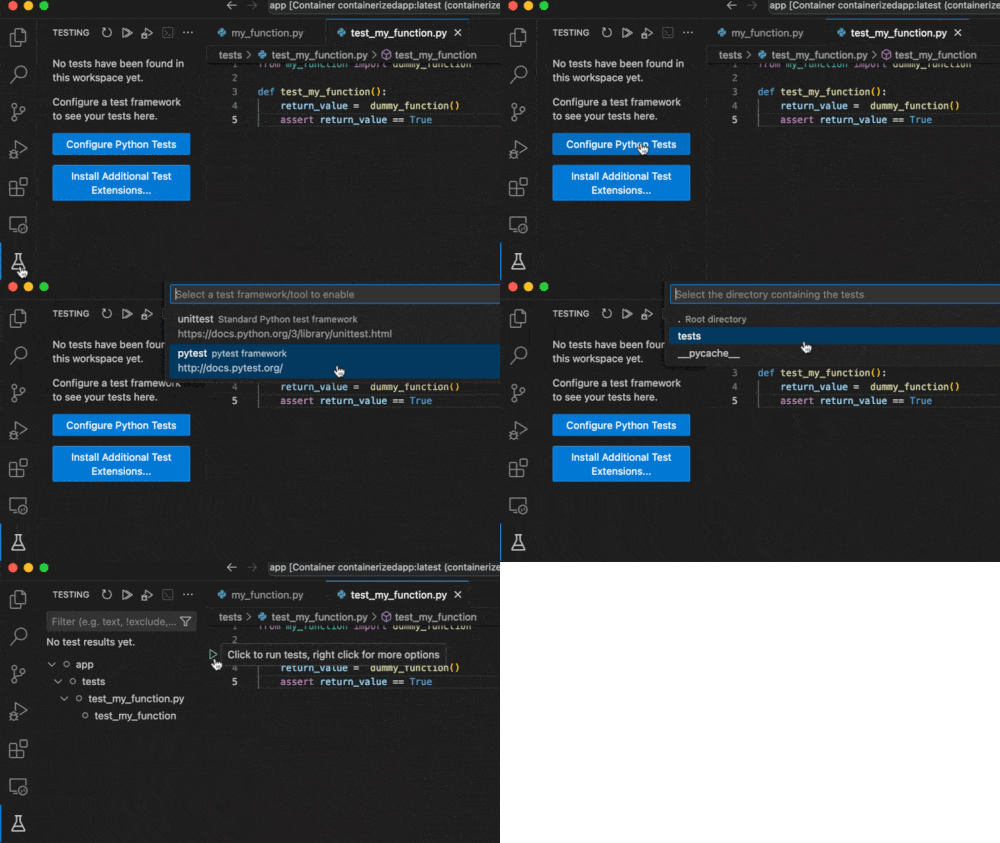
I then set breakpoints within the tests and application code, and run the tests with the debugger. The debugger updates the local variables as we step through the code.
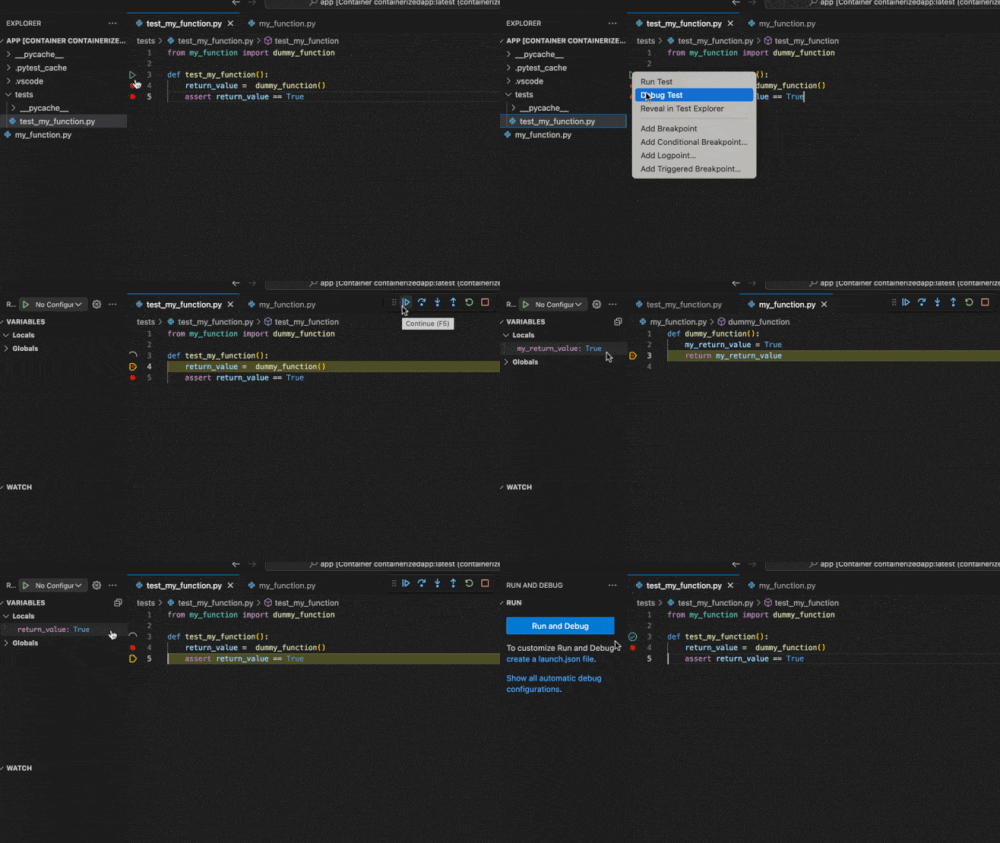
Now I can modify the code as I would when developing locally. The changes will persist on my local machine, where I can commit them to the repository.
Peace!
Tahir